
 Deedok IT Solutions
Imagine a website with fast response times and strong performance, but poorly structured elements that make it hard to use. This bad experience often comes from poor UX design.
User experience is a key factor in the success of your website and SaaS platform because it gives users a hassle-free experience. At the same time, many user experience design firms provide US design services, including UX interface design, wireframing, and information architecture.
UX Design Services cover more than just an ux interface design; it also has a business angle, as marketers develop UX business strategies to solve users’ queries, and they do analysis around the internet and users’ approach to business. Then they build a business strategy based on it.
In this blog, we cover how to enhance user experience and how UX Design services can help you increase conversion and retention rates.
What Are UX Design Services?
A digital agency typically provides UX design services to enhance the user experience by restructuring and optimizing website content. UX Designers also align content with business goals.
Key Components in UX Design Services
There are a lot of components that are present in UX Design Services, which are as follows :
Components | Explanation |
User research | It covers studying the user’s business and analyzing the needs and problems they face. |
Information Architecture | It covers labeling and structuring website content, e.g., building a navbar that helps users move through a website. |
Wireframing | Wireframing is the process of creating the platform’s structure (content hierarchy and layout); it acts as the application’s skeleton. |
Prototyping | Prototyping is the process of building an interactive design & doing testing before investing in software development. |
Heuristic Evaluation | The evaluation finds existing errors in the application, and it is done by an expert who tests different aspects of the application. |
Role of a User Experience Design Firm
- Information Architecture & Wireframing
- User Research & Strategy
- Prototyping & Testing
- Multidisciplinary Execution
- Business Alignment
Why Do UX Design Services Matter for Online Businesses?
Integrating UX Design Services is essential because they make applications easier to use and build the right content and layout architecture.
Reducing digital friction
Reducing digital friction means removing the elements of the website that make it confusing; it also includes fixing broken links, reducing the website’s loading time, and removing unnecessary parts of the website.
Improving User Satisfaction
If a website feels good to use, that’s a good sign, because an optimized website feels good to operate; a good UX experience comes from strong interface design and understanding clients’ needs.
Supporting conversions
Great UX design services help increase website conversions by structuring content and placing call-to-action buttons in the right places. Users find them easily, which increases conversions; for example, a buy now button and an add to cart button remind users to buy the product, and adding notifications also helps.
Connecting user needs with business objectives.
An experienced user experience design firm generally helps fulfill business goals while matching user intent through interactive, clean UX interface design. This interface design bridges business goals and user intent, meeting both user and business needs.
How UX Reduces Digital Friction
There are a lot of common factors that can be either removed or improved in the application, and they are mentioned as follows :
Cognitive load and decision-making
It is generally not recommended to include too much information on a website. If a user arrives and gets confused by too much information and a 10-page menu, they may leave and go to another site because the page takes too long to read. Therefore, remove unnecessary parts of the website and add only concise content with clear call-to-action buttons.
Navigation and Discoverability
Discovering your website’s sections is essential to reducing digital friction; each section should have its own page, such as Career and Services. Add Contact Us and About Us pages, and follow a clear content hierarchy, including subsections within sections; place these at the top of the navbar to improve product discoverability.
Mobile Usability
The website and application UX interface should be mobile-friendly, as many users visit on mobile. If the UX interface design isn’t compatible with small screens, users might accidentally click the wrong buttons, since they appear too close together.
Forms and error handling
A good user experience design firm handles errors very well. They also try to keep the forms short, as long forms are too boring to fill out. If a user fills in all the details and then, when they click the submit button, an error appears and all the details are removed, it becomes very frustrating; good error handling also reduces digital friction.
What Is UX Interface Design?
UX Interface design is the process of making an application or website easier for users to operate, and it is designed from the perspective of the user’s journey when they visit the application or website to order products.
Relationship between UX and interface design
UX and interface design are closely related, as both aim to improve a website’s effectiveness. UX builds the website’s architecture and creates its skeleton, while UI acts as the interior decorator by choosing the website’s colors and visual styles.
A visually engaging User Interface builds a strong digital presence and supports business growth.
Visual hierarchy
Visual hierarchy is an important factor in prioritizing elements on a screen. As a result, users notice the products or services that are most in demand and profitable for the business, since larger elements grab more of the user’s attention. Main headings should have high contrast and scale so users can find them easily.
Navigation
Navigation in UX design is the process of creating menus and links that help users move between different sections of a website, and it helps reduce confusion.
How Information Architecture Improves User Experience
Information Architecture is the practice of organizing and connecting content into groups, which keeps its website from becoming messy.
User mental models
A good website should place elements where users want to click, not where the organization wants them to, to improve the user experience.
When the website acts according to users’ expectations, users trust it and don’t need to learn new guides.
Consistency & Predictability
Consistency and predictability are two of the most important goals of Information Architecture (IA), because the website should feel consistent and smart, safe, and in control. As a result, users never have to guess what will happen next.
In-House UX Team vs Partnering With a User Experience Design Firm
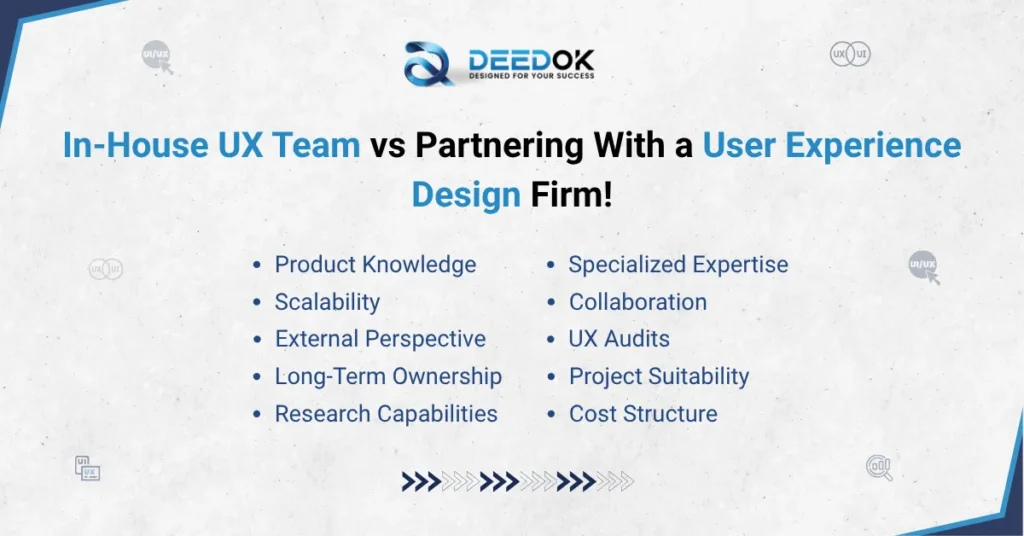
There is strong discussion around whether to choose an in-house team or an external agency for UI/UX design; understand your needs, then choose the right partner for your business.
Factor | In-House UX Team | User Experience Design Firm |
Product Knowledge | Deep understanding of the company’s product, users, and internal processes. | Requires time to understand the product and business |
Specialized Expertise | Limited to the skills available within the internal team. | Access to specialized UX researchers, designers, strategists, and accessibility experts |
Scalability | Scaling requires hiring or expanding the team. | Resources can be scaled according to project requirements |
Research Capabilities | Depends on internal tools, expertise, and resources. | Can provide dedicated research and usability-testing capabilities |
External Perspective | Internal teams may become accustomed to existing product problems. | Provides an independent perspective that can identify overlooked UX issues |
UX Audits | Can conduct audits if the team has relevant expertise. | Often provides specialized UX audits, heuristic evaluations, and usability assessments. |
Long-Term Ownership | Strong ownership of the product and design system. | Best suited for projects, redesigns, audits, or specialist support |
Project Suitability | Suitable for continuous product development. | Suitable for redesigns, UX optimization, research, audits, and complex projects |
Collaboration | Direct day-to-day collaboration with product and development teams. | Collaboration is structured around project goals and deliverables. |
Cost Structure | Ongoing salaries, tools, training, and team-management costs. | Project or engagement-based costs depending on scope and expertise. |
Building a Scalable UX Strategy
-
Create a strong information architecture.
-
Create an effective UX interface design.
- Visual hierarchy
- Navigation
- Content organization
- Interactive elements
- Consistency
- Accessibility
- Micro-interactions
- Responsive design
-
Develop and Test Prototypes
- By testing the prototypes, you can get the answer to:
- Can the users locate the information they need?
- Do they understand how to navigate?
- Can they carry out the task as intended?
- Where do they hesitate?
- What leads to errors or confusion?
-
Conduct Usability Testing
- Task completion rate
- Time on task
- Error rate
- Abandonment
- User satisfaction
-
Collaborate With Developers
- Interaction patterns
- Responsive behavior
- Accessibility
- Component consistency
- Visual hierarchy
-
Use analytics to measure user experience.
- Conversion rate
- Bounce and abandonment patterns
- Activation rate
- Feature adoption
- Checkout completion
- User retention
- Support requests
- Funnel drop-offs
Conclusion
UX has moved beyond designing a beautiful website or an eye-pleasing application and has become a key business function that influences how consumers learn about your product, interact with it, buy it, adopt it, and stay engaged. good UX strategy links customer needs to quantifiable business goals.
Organizations that integrate user research, IA, UX UI design, usability, accessibility, analytics, and optimization can develop digital experiences that are easy to use and effective.
Professional UX Design Services can use their research, expertise, and strategic insight to help you identify any hidden friction and improve it. For a business pursuing digital growth, UX should be viewed as something that constantly evolves, not a project done once a year. Continuous evolution, not an annual redesign.
Frequently Asked Questions
UX Design Services cover research, design, and testing to improve how users interact with websites, applications, SaaS solutions, and other products by identifying user needs and enhancing the user experience.
UX Design Services make it easier for customers to shop at every stage of the process, from finding and searching for products to exploring and considering them, adding items to their cart, checking out, and making a payment. When things are simplified, it is possible to turn more visitors into buyers more quickly.
It refers to designing interfaces that are simple, clear, predictable, and comfortable for the user. It involves layering interaction patterns, visual hierarchy, navigation, accessibility, content structure, responsiveness, and feedback to make tasks easier.
A company brings in a user experience design firm when it needs UX design services, usability testing, a third-party (independent) UX audit, an accessibility review, conversion optimization, a website or product redesign, or additional design support for a complex project.
You can use many metrics, depending on your product, including Task completion rate, time on task, time to complete a task, error rate, checkout completion and activation, retention, feature adoption and abandonment, customer support volume, and satisfaction.
Comments (0)
Leave a Comment