 Deedok IT Solutions
Many business owners and individuals think a website will get them clients, but what happens if it doesn’t rank? Then what should you do? A website alone isn’t the solution; ranking it should be your primary goal for a strong digital presence.
Many web development companies today offer Website Development Services at an affordable rate, but they often can’t solve this problem.
In this guide, we will walk you through why your website isn’t ranking and how to fix it.
First, Check If Google Has Indexed Your Website
Before improving your website’s ranking, first check whether Google has indexed your pages, as indexing tells you whether Google knows your website.
You can check your website’s indexing by searching for your website name. Suppose your website name is Deedok, then you can search :
site:deedok.com —-> It tells you whether your website is indexed or not.
site:yourwebsite.com/page-url → It tells you whether the specific pages of your website are indexed.
If it appears in the browser, it is a sign the website is indexed; if it doesn’t show up, it means Google hasn’t indexed the page, and you should investigate indexing further in Google Search Console,
Check Google Search Console
Google Search Console will show whether Google has indexed your homepage and provide information regarding:
1. URL Inspection
- Page indexing
- Sitemap
- Crawl/indexing issues
Indexed Doesn’t Mean Ranking
If your web url is indexed, it does not assure you a good ranking, as Google can show your website on page 8- 10, and in this case you have to improve different aspects of the website, which are as follows :
- page search intent alignment
- content quality
- keyword targeting
- internal linking
- authority, technical SEO, or overall competitiveness
Reasons Why Your Website Isn't Ranking on Google
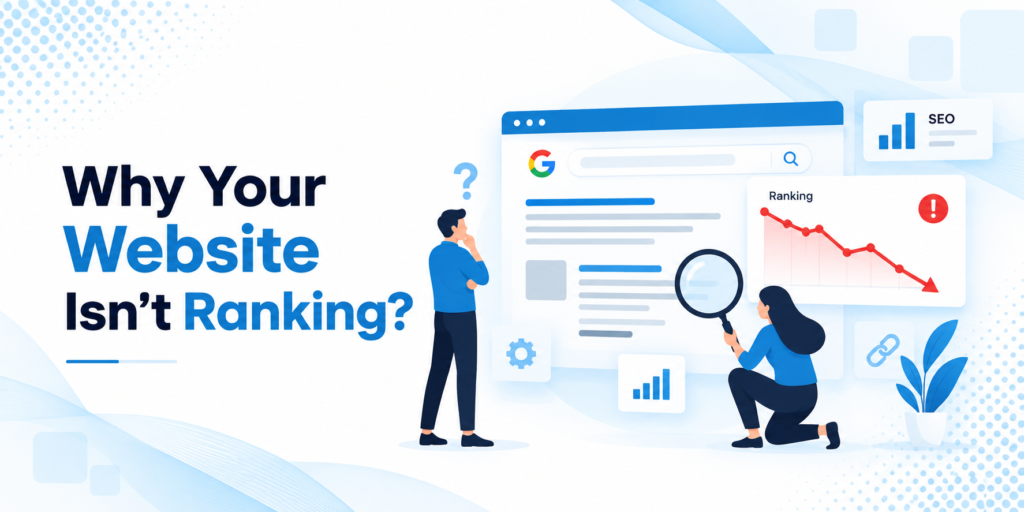
Your Website or Page Isn’t Indexed
Generally, top website-making companies in India focus on indexing the website; if it isn’t indexed, all improvements to keywords and content are worthless.
Three common points are missed by web developers when creating a business site :
No Index Tag
A noindex tag might be accidentally added when developers build a business site, as it tells search engines not to include that page in search results.
Robots.txt restrictions
A robots.txt file tells search engines which parts of the website crawlers can crawl and which parts they should not. It is important to remove crawling restrictions on important parts of the website to improve rankings.
Sitemap problems
Many web developers forget to correct website sitemaps properly. Still, sitemaps help search engines discover important URLs, and an incorrect URL structure makes it hard for search engines to find your website.
2. Your Content Doesn't Match Search Intent
If you choose a web development company that only offers web development services and not a full web audit, that’s a problem, because many factors affect website rankings, and matching user intent should be one of them.
It is important to use the right keyword that matches the user intent, and user intent is generally of 4 types, which are as follows :
Search Intent | What the User Wants | Example Search Query | Suitable Content |
Informational | To learn or find an answer | What are the different types of website development services? | Guides, blogs, tutorials, FAQs |
Navigational | To find a specific website, brand, or page | Google Search Console | Homepage, brand page, login page |
Commercial Investigation | To research options before making a purchase | Best website making companies in India | Comparison pages, reviews, service guides. |
Transactional | To take an action or make a purchase | “Hire a professional website developer” | Service pages, product pages, pricing pages |
3. You're Targeting Highly Competitive Keywords
A web development company focused on improving website rankings should avoid keywords with very high difficulty; instead, target keywords with a very low difficulty score, since there is little competition in that space.
Web developers often focus on search volume, where competition is high, and ranking can be difficult.
Keyword | Search Volume | Competition | Potential Approach |
web making companies in India | High | Very High | Difficult for a new website |
Website development services | High | High | Requires strong SEO foundation |
Web development services for small businesses | Medium | Medium | More targeted |
Digital marketing agency for small scale | Lower | Lower/Specific | Potentially easier to target |
4. Your Content Is Too Generic
If your website is filled with generic content, and the content is very difficult to read, and even many web development company also writes the content of the different pages of their website using large language models, A.I give responses that are hard to read and interpret.
The content should be original, and plagiarism and AI content should always be checked before publishing the content, and it should be written in such a format that it provides the original experience.
5. On-page SEO optimization is needed
- Use proper heading structure in the content; use H1 to H4 for main and subheadings it keep the content clean.
- Place the keyword naturally, without keyword stuffing.
- Write the meta description in a way that compels users to click.
- Internal linking should point to relevant pages, and anchor text should be clear and descriptive.
6. Your Website Has Poor Authority and Links.
- No matter how well-optimized your content is, a lack of authority will make ranking difficult.
- Relevant, trustworthy backlinks from other websites tell search engines your content is useful. However, link quality matters more than quantity.
- Fewer relevant links from top industry websites can be more valuable than hundreds of links from low-quality sources.
- If you are an expert, you can offer Website Development Services by publishing authoritative content, doing original research, earning mentions, awards, and citations, doing digital PR, and creating content other websites will want to reference.
- Avoid buying links, link schemes, and manipulation, as these can cause future SEO damage.
7. Your Website Has Technical SEO Problems
- Core Web Vitals and performance
- Mobile usability
- A secure HTTPS connection
- Canonicals and redirects
- Duplicate content; 404 and soft 404 pages
- Broken links and pages; XML sitemap
8. Your Website Is Not User-Friendly
- Slow page load times,
- difficult navigation
- Mobile errors and pop-ups
- Website data-collection elements
- Short content with no depth
- Content that’s hard to read and understand.
- Provide website design and development services with mobile and desktop usability in mind.
9 Your Website Is Too New for Search
If you’ve just launched a website or it is very new, then it may take some time for search engines to rank it, and that is fine.
However, if you already have an aged domain, then you may already have:
Backlinks, indexed pages, branded presence, search data, established authority, and so on
Building a new website gradually, with technical and SEO optimization, takes time to rank.
10 . Your Content Is Not Enough
Your website may be technically sound, but your competitors provide more relevant information.
Use a SERP competitor analysis to observe:
How in-depth the content is, what the user intent is, what topics are covered, how many authoritative links they have, what their internal linking structure is like, what original research they offer, and how usable their pages are. Again, for website design and development companies, observing competitors may reveal content gaps or differences in delivery.
11. You're Not Considering AEO and GEO search
What Is AEO?
Answer Engine Optimization (AEO) is the practice of writing content that answers users’ questions.
For example, avoid hiding answers deep inside paragraphs. Instead, provide a clear explanation within a heading structure, add FAQs, include short answers, and format information in lists. Use question-based headings and concise responses.
What Is GEO?
Generative Engine Optimization (GEO) optimizes content visibility for AI-powered search experiences.
For example, for website-making and design companies, this can be achieved by providing citation-worthy facts, demonstrating specialization, publishing original research, organizing information clearly, using location-specific signals, and building relevant, topical authority.
For this, provide clear, useful information rather than generic service pages.
How AEO and GEO Complement SEO Search
SEO Metric | What It Tells You | Why It Matters |
Impressions | How often your pages appear in search results | Shows your search visibility |
Organic Clicks | How many users visit your website from search | Measures actual organic traffic |
CTR | Percentage of users who click after seeing your result | Helps evaluate titles and meta descriptions |
Organic Conversions | Leads, inquiries, sales, or sign-ups from organic traffic | Connects SEO with business results |
Indexed Pages | Pages Google has added to its index | Helps identify indexing problems |
Keyword Visibility | How prominently your website appears for target queries | Shows your overall search presence |
Branded Traffic | Searches specifically for your brand | Indicates brand awareness |
Non-Branded Traffic | Visits generated through generic search terms | Shows your ability to attract new audiences |
AI Search Visibility | Mentions or appearances in AI-generated search experiences | Helps monitor visibility beyond traditional SERPs |
Track impressions and reach; organic sessions and conversions; click-through rate and bounce rate; keyword rankings and visibility; branded vs. non-branded coverage; and the Total number of indexed pages.
Some rankings convert much more at position 8 than at position 3. Instead, focus on qualified visibility and business objectives.
How to Diagnose the Exact Reason Your Website Isn't Ranking.
Do not make any blind guesses. Follow this process instead:
Step 1 – See if pages are indexed
Check Google Search Console and individual URLs.
Is important content being crawled?
Step 2 – Look for technical SEO
Is Google crawling, displaying, and indexing your pages?
Consider crawling and rendering, redirects, canonicals, sitemaps, Core Web Vitals, and broken pages.
Step 3 – Understand user intent
What queries are people asking when trying to find you?
Are you matching their intent?
Step 4 – Competitor analysis
How are your competitors’ websites structured?
How deep is their content?
What topical authority are they creating?
Use tools to analyze backlinks, rankings, and structured data.
Step 5 – Content analysis
What questions are searchers asking that your page doesn’t answer?
What keywords aren’t your pages ranking for?
Is your content useful?
Step 6 – Internal linking
Have you linked related pages?
Using anchor text, can you add fresh internal links?
Are related pages visible in the menu?
Step 7 – Authority review
How many backlinks does your website have?
Can you earn more relevant citations?
Can you publish expert content?
Can you earn mentions?
Step 8 – Visibility in AI & large language models :
Can users get all their questions answered from your content?
Is your answer concise?
Is your data accurate and authoritative?
Is your reputation visible
Week | Focus | Activities |
Week 1 | Technical SEO | Fix indexing, Rendering, Sitemap, Redirects, canonical tags, and website performance issues. |
Week 2 | Content Optimization | Analyze search queries, Identify content gaps, improve content structure, relevance, and search intent alignment. |
Week 3 | Relevance & Authority | Conduct link audits, Build relevant citations, strengthen authority, publish original research, and explore digital PR or award opportunities. |
Week 4 | Modern Search Systems | Optimize for answer engines, target question-based searches, strengthen entity relationships, and improve AI-search visibility. |
Conclusion
If your website isn’t ranking on Google, publishing more content isn’t always the answer. First, identify whether the problem comes from crawlability, indexability, search intent, content quality, technical SEO, authority, competition, or user experience.
Use Google Search Console, competitor analysis, content-gap research, and technical audits to pinpoint the real issue.
Once the foundation is strong, optimize your content for traditional search while incorporating AEO and GEO principles to adapt to the changing search landscape.
Whether you’re working with a web development company, hiring website developers, or planning to create a business site, consider SEO from the beginning—not after the website is finished.
Comments (0)
Leave a Comment